Getting started with AI Automated Inspector is fast and easy. Anyone can capture video and then our AI lets you identify assets or issues in seconds.
Step 1: Video Capture
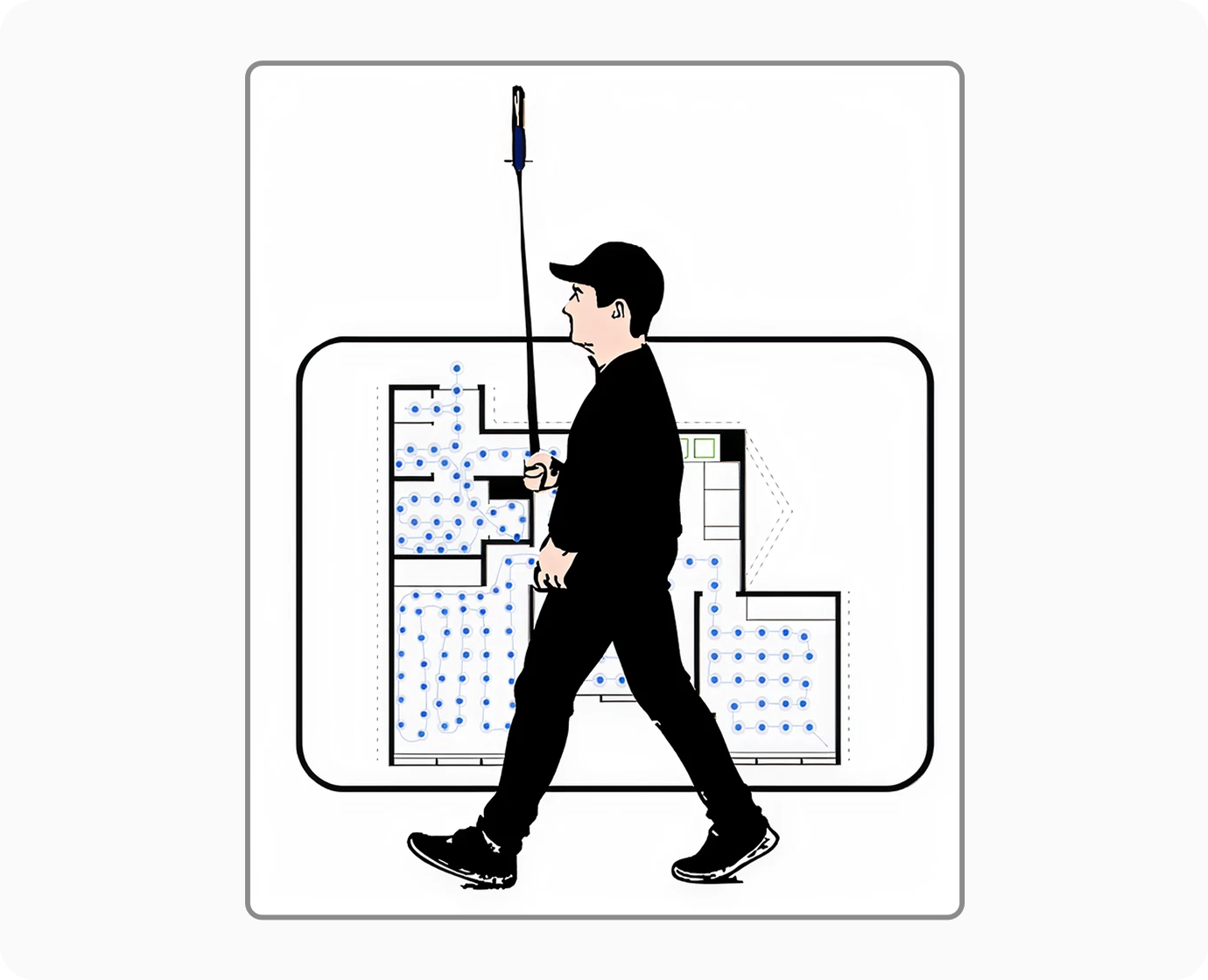
Capturing video is simple and straightforward. Expect to be able to capture 40,000 square feet per hour.
For small rooms you will walk in and around the perimeter of the room.
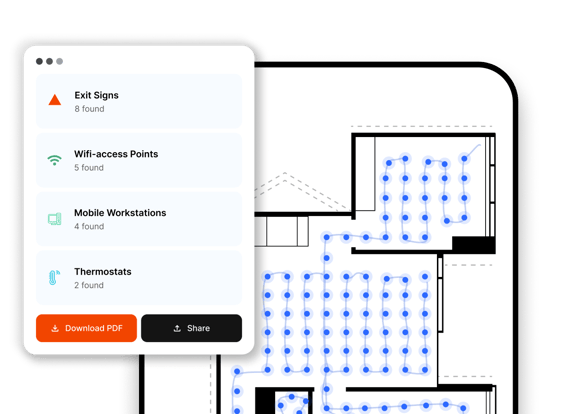
For larger rooms, you’ll walk back and forth like you would if you were mowing your lawn.
Step 2: Create 3D Map
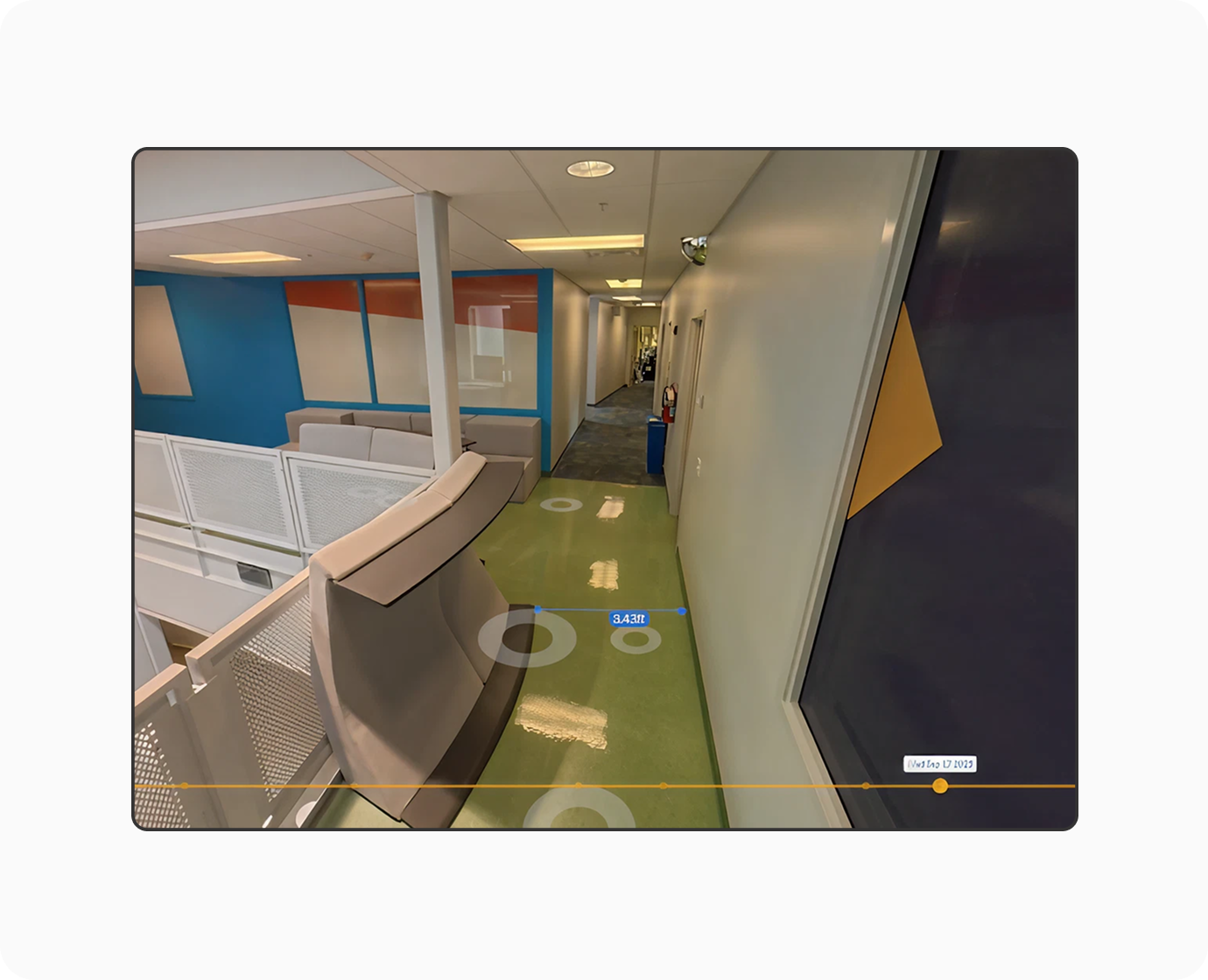
Once the video has been captured and uploaded via the Capture App, all of the videos will be combined and processed to create a 3D walkable and measurable map.
Just like on Google Street View, you’ll be able to click through your buildings and see every room.
Step 3: Use AI To Detect and Train
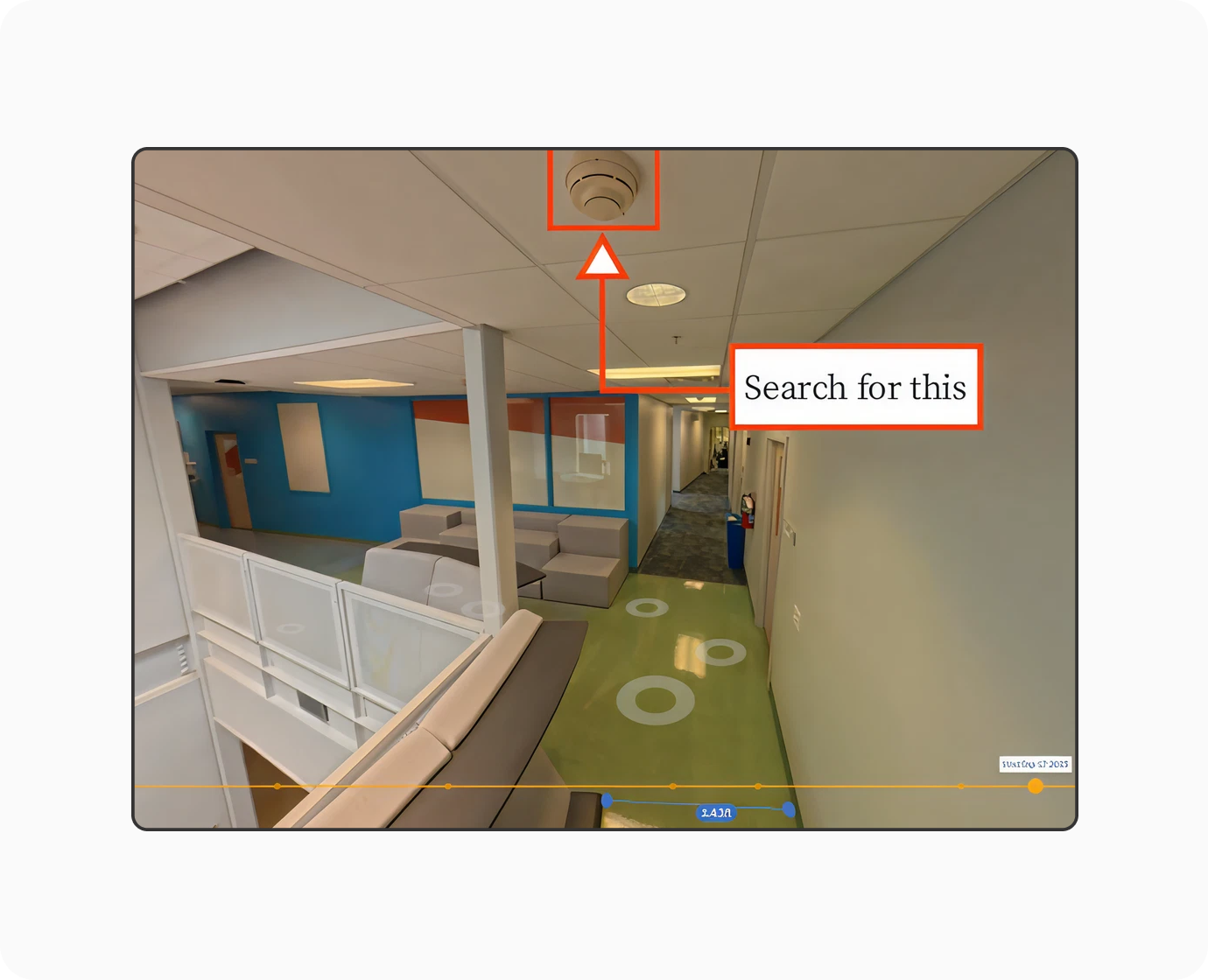
As you identify assets or defects, you will be able to screenshot them and search for the same assets and defects throughout your facility
Step 4: Map and Measure
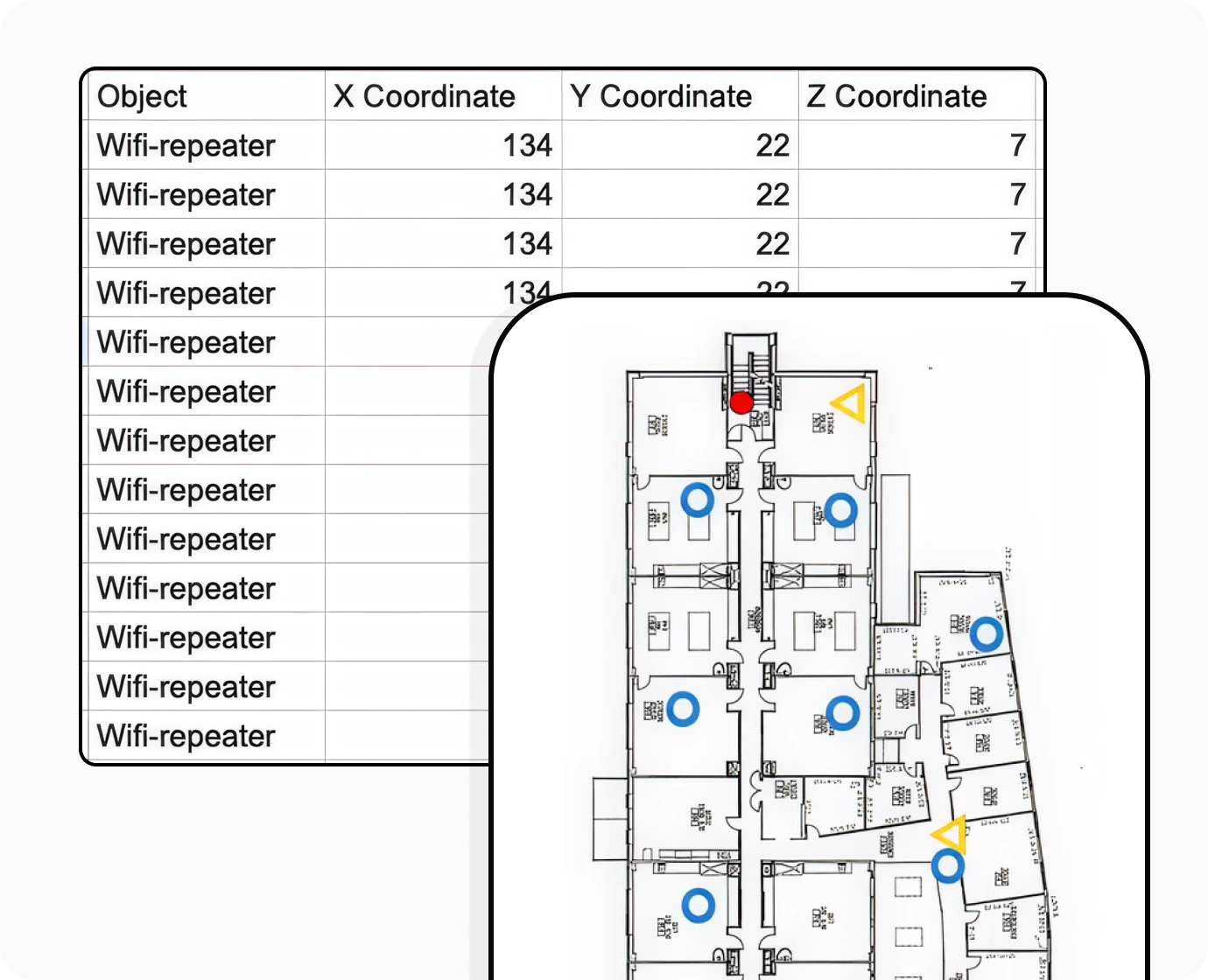
Once you’ve trained the model, you’ll be able to see exactly where every asset or defect is located on your floor plans or on our generated floor plans, down to the the floor and the room – and down to the square inch.
Detailed results can be exported as a spreadsheet.